Amazon S3, Object Stores, and the Directories That Don't Exist
S3 and Object Storage
Most of us have used Amazon S3 at some point and may have wondered:
If AWS provides S3, why are we using Linode Object Storage or MinIO instead?
The reason is that Amazon S3 is both a service and a de facto API standard for object storage.
AWS provides S3 as its managed object storage service, but other vendors such as Linode and MinIO also offer object storage solutions that implement the S3-compatible API. This allows applications written for S3 to work with different storage providers with little or no code changes.
Recently, we migrated our object storage from MinIO to Linode. Although we do not use AWS S3 itself, our applications still communicate using the S3-compatible API.
One important thing to keep in mind is that third-party implementations are not always identical to AWS S3. Some providers may only partially implement the S3 API, behave slightly differently, or not support all available features.
Directories in Object Storage
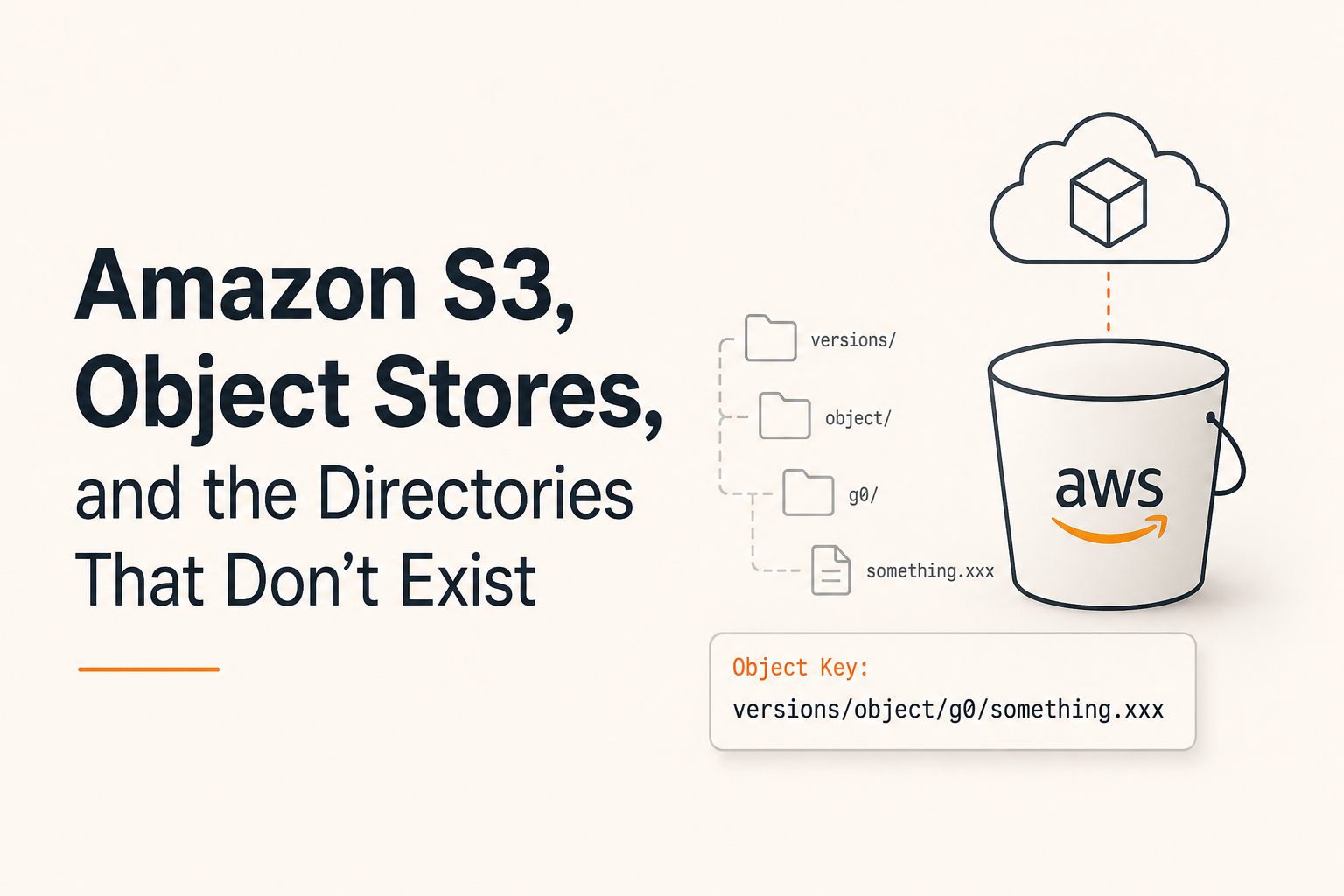
When working with object storage, you’ve probably seen structures that look like directories:
versions/
└── object/
    └── g0/
        └── something.xxx
At first glance, this looks very similar to a traditional filesystem. But are these actually directories?
The answer is no.
Object storage does not store files in real directories. Instead, every object is stored with a unique key (identifier). What looks like a path is simply part of the object’s name.
For example, an object may have the following key:
versions/object/g0/something.xxxThis is a single object key, not a file stored inside nested directories.
The / character is simply a naming convention used to organize object names. Management tools and UIs use these prefixes to simulate a directory structure, but the folders themselves do not actually exist.
Understanding this helps explain why operations such as recursively deleting a directory or listing directories are not native object-storage operations. In reality, there are no directories to delete—only objects whose keys share a common prefix.
Why “Creating a Directory” Looks Instant
When you create a directory in a traditional filesystem, metadata is written to disk.
In object storage, creating a directory is often just creating an empty object or simply displaying a prefix in the UI. No real directory structure is created behind the scenes.
For example, after uploading:
versions/object/g0/file.txtmany S3 clients will automatically display:
versions/
└── object/
    └── g0/
even though those directories do not actually exist.
What Happens When We List a “Directory”?
Consider the following command:
mc ls s3-pimcore-stg/nbb-pimcore-stg/versionAt first glance, it looks like we’re listing the contents of a directory called version, but that’s not actually what’s happening.
The path can be interpreted as:
s3-pimcore-stg   -> configured storage alias/endpoint
nbb-pimcore-stg -> bucket name
version         -> object key prefix
The object storage server does not navigate a directory tree. Instead, it searches for objects whose keys begin with the specified prefix.
Conceptually, this is closer to:
Find all objects in bucket "nbb-pimcore-stg"
where key starts with "version"
For example, if the bucket contains:
version/object/g0/file1.jpg
version/object/g1/file2.jpg
version/thumbs/file3.jpg
all of these objects may be returned because they share the same prefix.
This is not a regular-expression search. It is a prefix-based lookup, which is one of the core concepts used by object storage systems to simulate directories.
Why Recursive Delete Can Be Expensive
Deleting a directory in a traditional filesystem usually involves traversing the directory tree and removing its contents.
In object storage, deleting a “directory” is fundamentally different:
- List all objects that share a specific prefix.
- Delete each matching object individually (or in batches).
For a prefix containing thousands or millions of objects, this operation can become expensive and time-consuming because the storage system must first discover all matching objects before they can be removed.
This is another consequence of the fact that object storage does not have real directories—it only has objects and object keys.
Mental model: Treat object storage as a giant key-value store where the key happens to look like a file path. Once you think of it that way, most S3 behaviors become much easier to understand.
Why This Matters
Understanding that object storage has objects and prefixes, not directories changes how you design applications around it.
The same prefix-based lookup that makes a “directory delete” expensive also applies to listing: every time an application “opens a folder,” the storage service performs a prefix lookup rather than traversing a real directory tree. For a few dozen objects this is invisible. For millions, it shows up as extra LIST calls, slower responses, and—depending on your provider’s pricing model—extra cost.
Design For Prefixes, Not Directories
A common mistake is treating object storage like a traditional filesystem.
Instead of repeatedly listing prefixes:
versions/
 └── object/
      └── g0/
consider storing the object keys you already know in a database or index.
For example:
id | object_key
---+-----------------------------------
1  | versions/object/g0/file1.jpg
2  | versions/object/g0/file2.jpg
Now you can fetch the keys directly and perform batch operations without repeatedly asking the object store to discover them.
Similarly:
- Prefer batch deletes over deleting objects one by one.
- Avoid repeatedly listing the same prefix in loops.
- Use lifecycle policies when objects have predictable expiration dates.
- Organize object keys so that related objects share predictable prefixes.
The goal is simple:
If your application already knows the object keys, don’t ask the storage system to find them again.
A Note About Costs
Many object storage providers charge not only for stored data but also for API requests. AWS S3, for example, charges for LIST, PUT, COPY, and GET operations, while DELETE requests themselves are free. However, deleting a large prefix often requires LIST operations first, which are billable.
Because of this, good object-storage design is usually about reducing unnecessary discovery operations:
Less efficient:
for each user:
    list user folder
    find files
    delete files
More efficient:
query database for object keys
delete objects in batches
S3 even provides a bulk delete API that can remove up to 1,000 objects in a single request, significantly reducing request overhead compared to deleting objects individually.
A good rule of thumb is:
Treat LIST operations as searches and DELETE operations as actions. Searches are often the expensive part, so avoid performing them when you already know the answer.
Final Words
Treat object storage as a giant key-value store where the key happens to look like a file path—that one shift in thinking explains most of S3’s quirky behavior around directories, listing, and deletes.
Further reading:
For a detailed breakdown of storage, request, and transfer pricing, see https://aws.amazon.com/s3/pricing/?nc=sn&loc=4&refid=aebc39a1-139c-43bb-8354-211ac811b83a
Ali Ghalambaz
Backend Engineer